FrameFit — align your sprite frames
A downloadable tool
Align your PNG animation frames on a shared canvas.
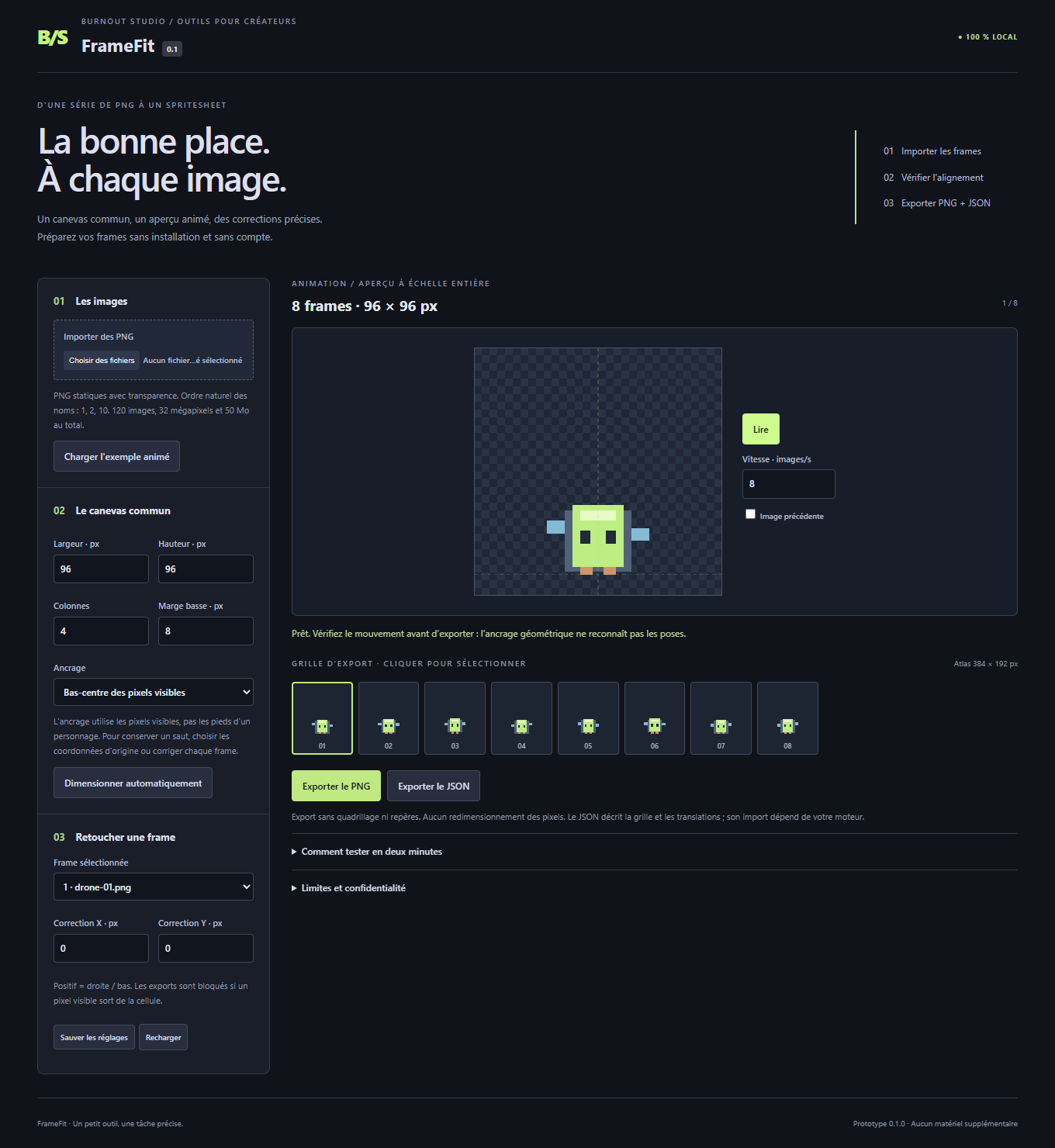
Have separate PNG frames with different canvas sizes or transparent margins? FrameFit places them on a common grid, previews the animation and lets you correct each frame before exporting.
What you get
• Static PNG import in natural filename order.
• Bottom-center, center or original-coordinate alignment.
• Per-frame X/Y adjustments and a previous-frame ghost preview.
• Transparent spritesheet PNG and JSON layout export.
• Save and restore your settings for the same artwork.
• Eight original example frames, ready to try.
Runs locally in your browser. Your artwork stays on your computer. No account or subscription required to use the tool. Open the included HTML file in desktop Microsoft Edge on Windows.
Before you buy
The interface is in French; the guide is in French and English. Alignment is geometric: it does not recognize feet, generate poses or repair an animation automatically. Bottom alignment can remove intentional jumping motion; choose original coordinates or adjust frames manually.
Imports separate static PNG files only, up to 120 frames within the documented memory limits. It does not import existing sprite sheets, APNG, GIF or video. JSON describes FrameFit’s layout; automatic import into Godot or Unity is not included. Pixel positions are preserved without resizing; exports with visible clipping are blocked.
Download includes the standalone HTML tool, guide and license. You may use your own exported artwork in personal or commercial projects. Future features are not promised.
Code, copy and the procedural example were created with AI assistance. No AI service runs inside the product.
Purchase
In order to download this tool you must purchase it at or above the minimum price of $5 USD. You will get access to the following files:
Development log
Leave a comment
Log in with itch.io to leave a comment.